Go to login.navigate.uk.com
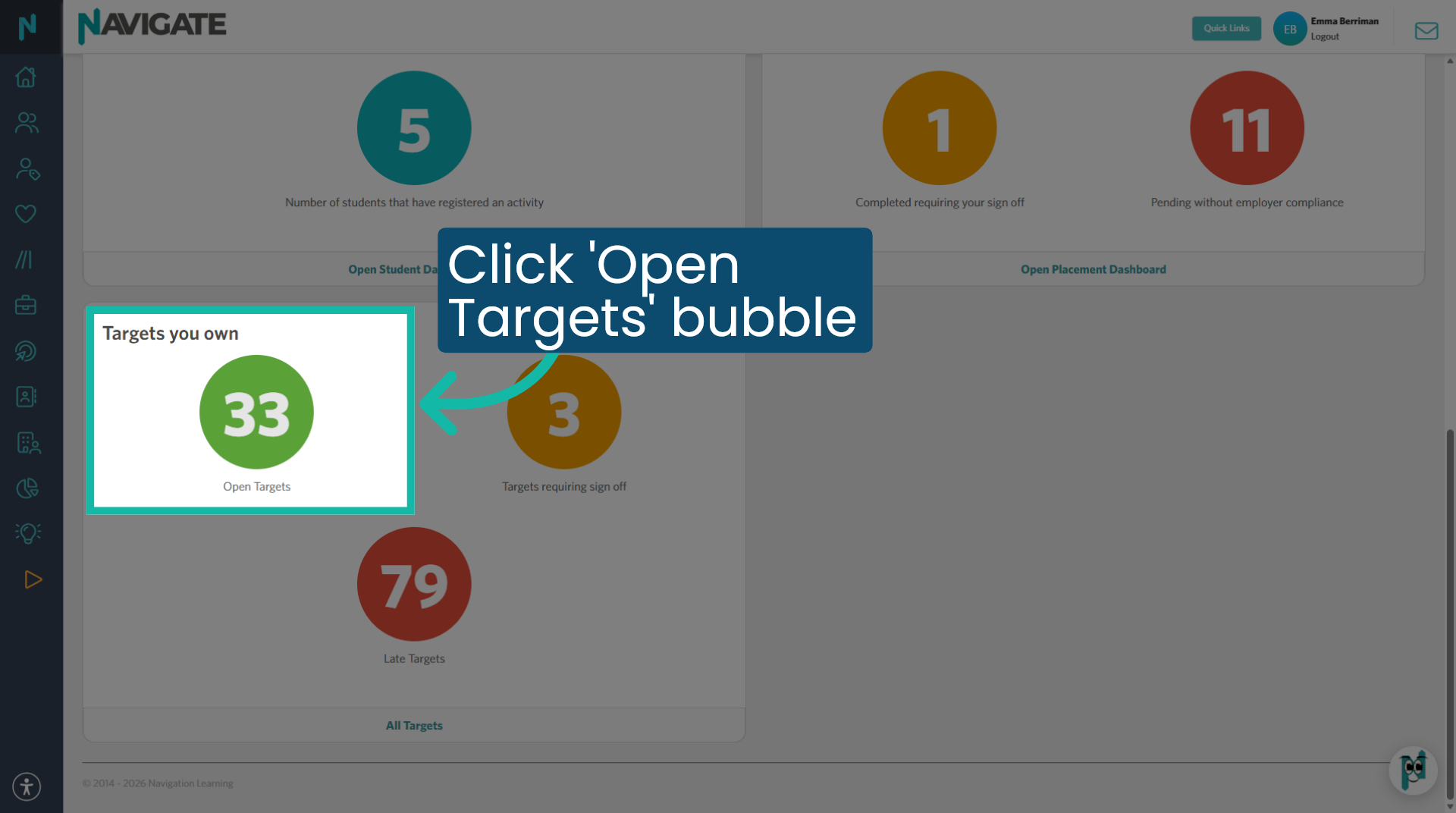
1. Click 'Open Targets' bubble
Once logged in on the home dashboard, scroll down to targets you own and click on the green bubble to open the targets module.
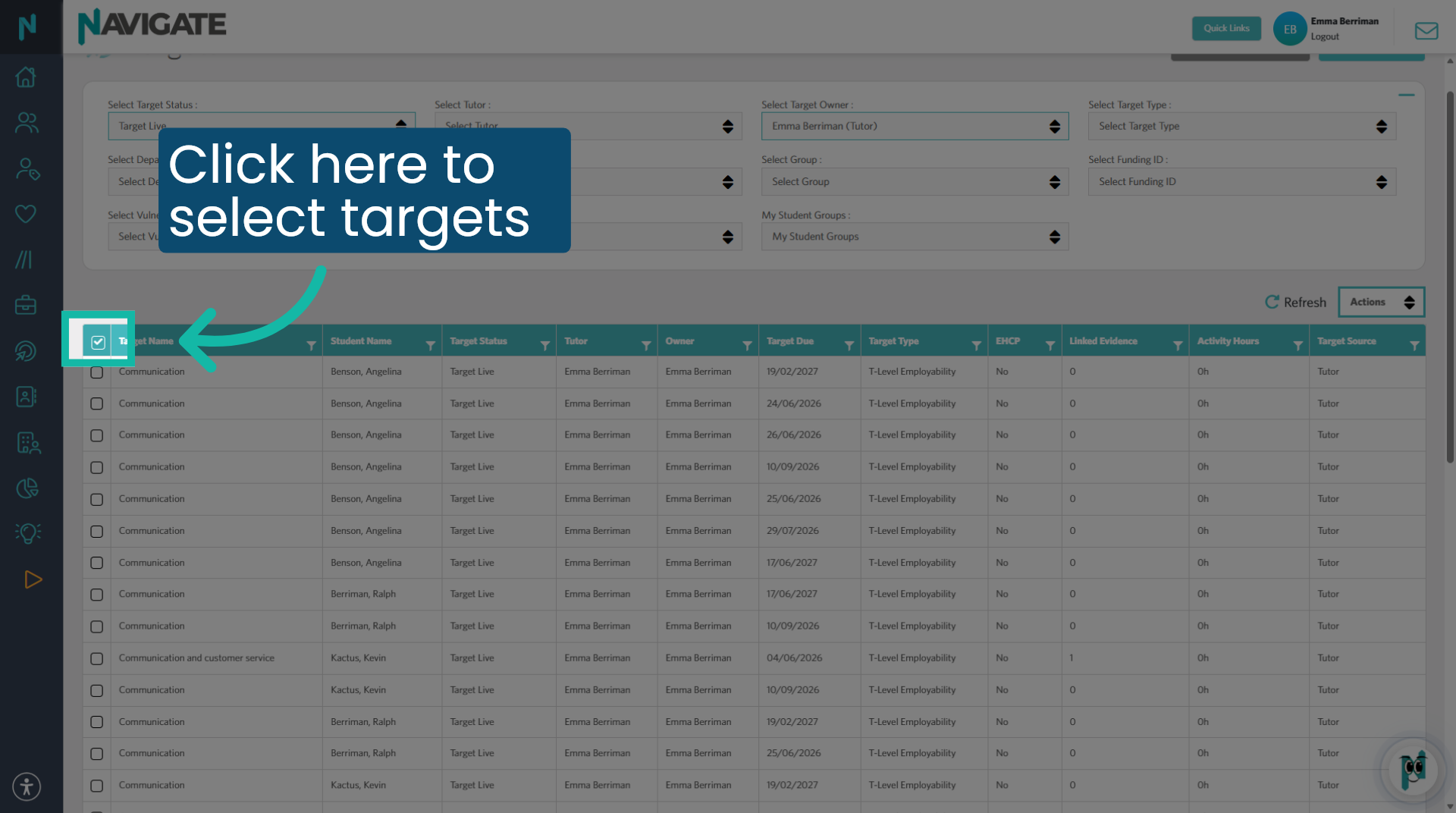
2. Select Targets
Use the tick boxes to select which targets you wish to reassign. Note: I have selected all targets on this page.
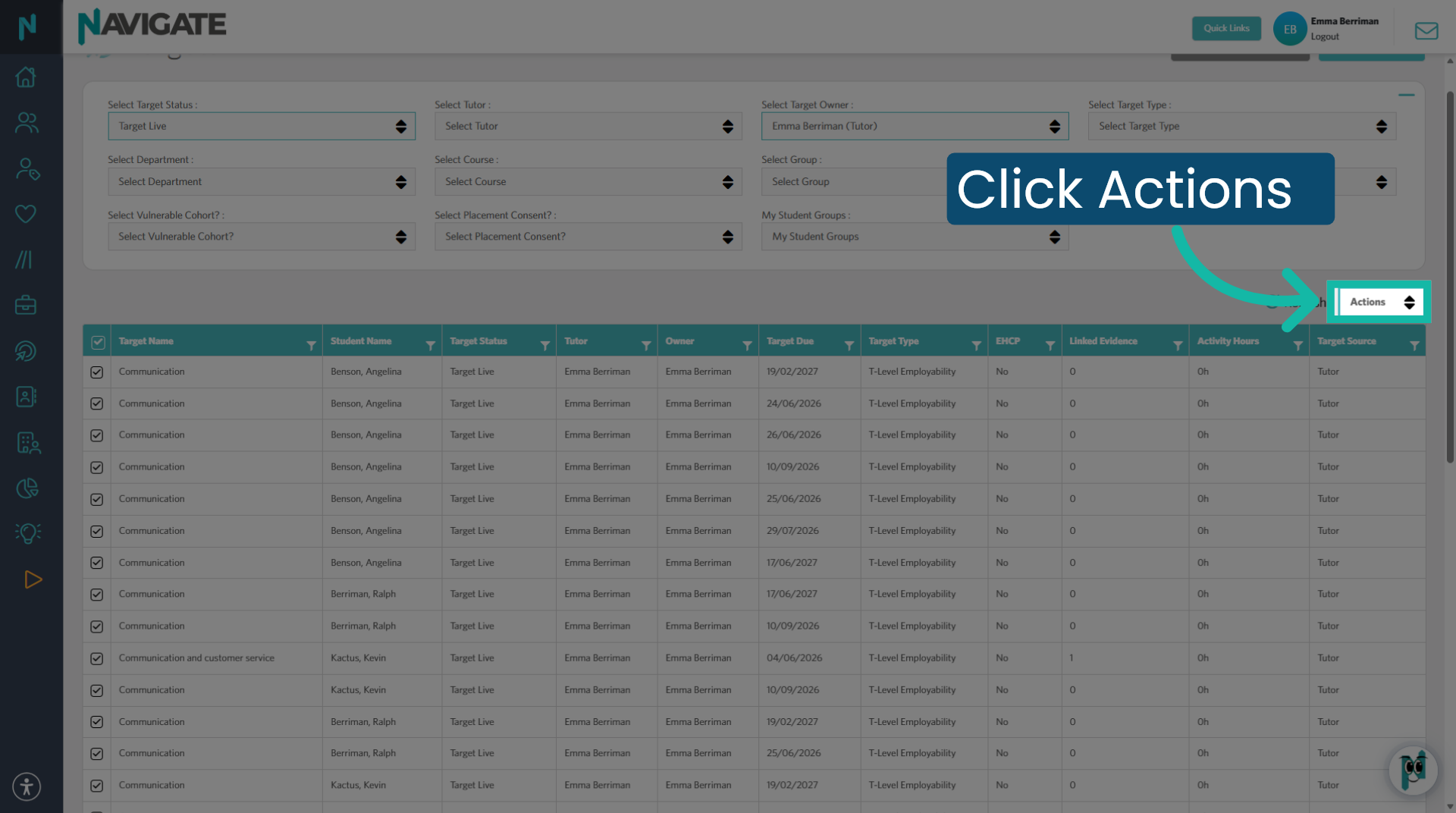
3. Access Actions Menu
Then click actions to view the options drop down menu.
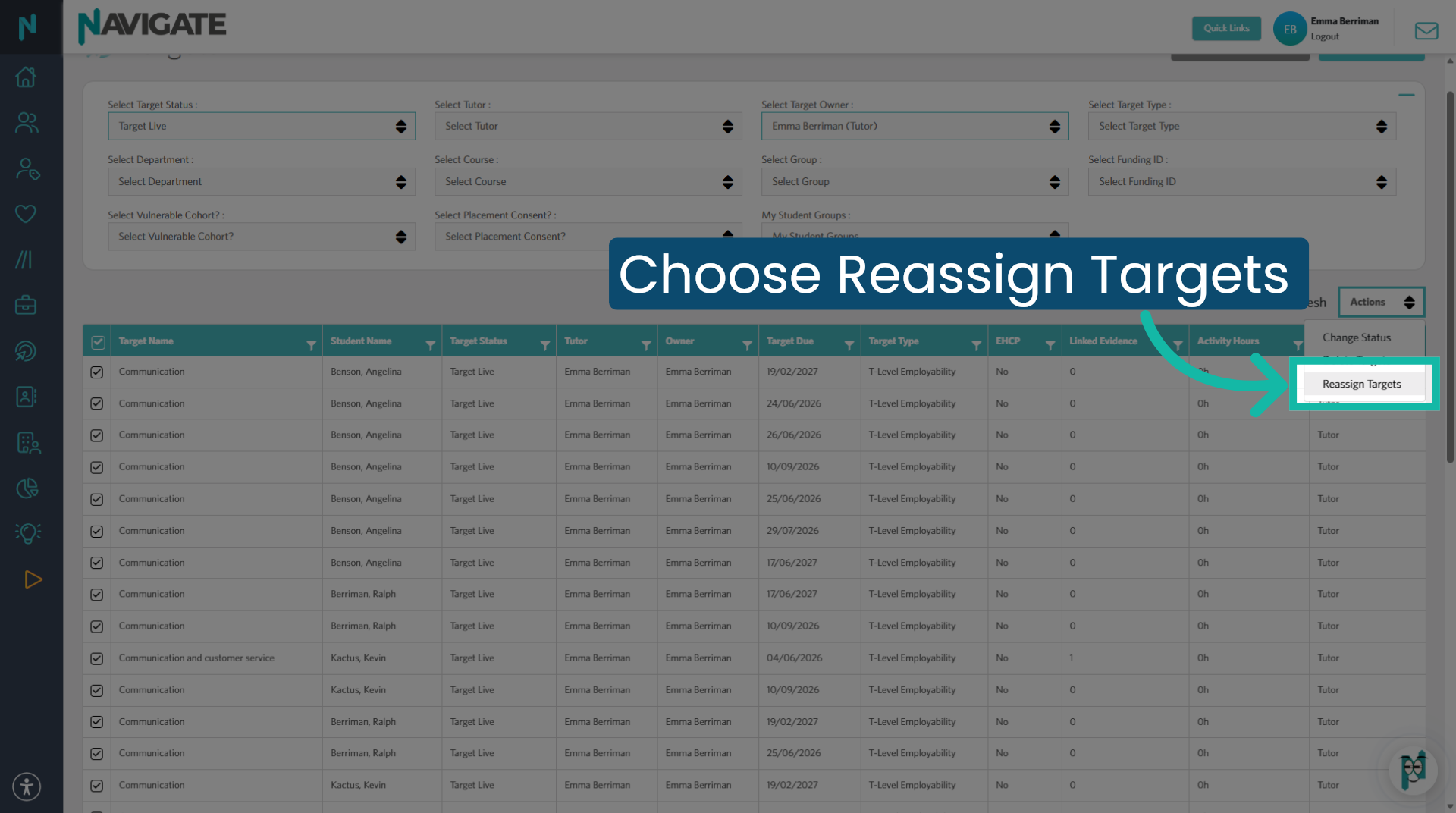
4. Select Reassign Targets
Click 'reassign targets' from the drop-down menu
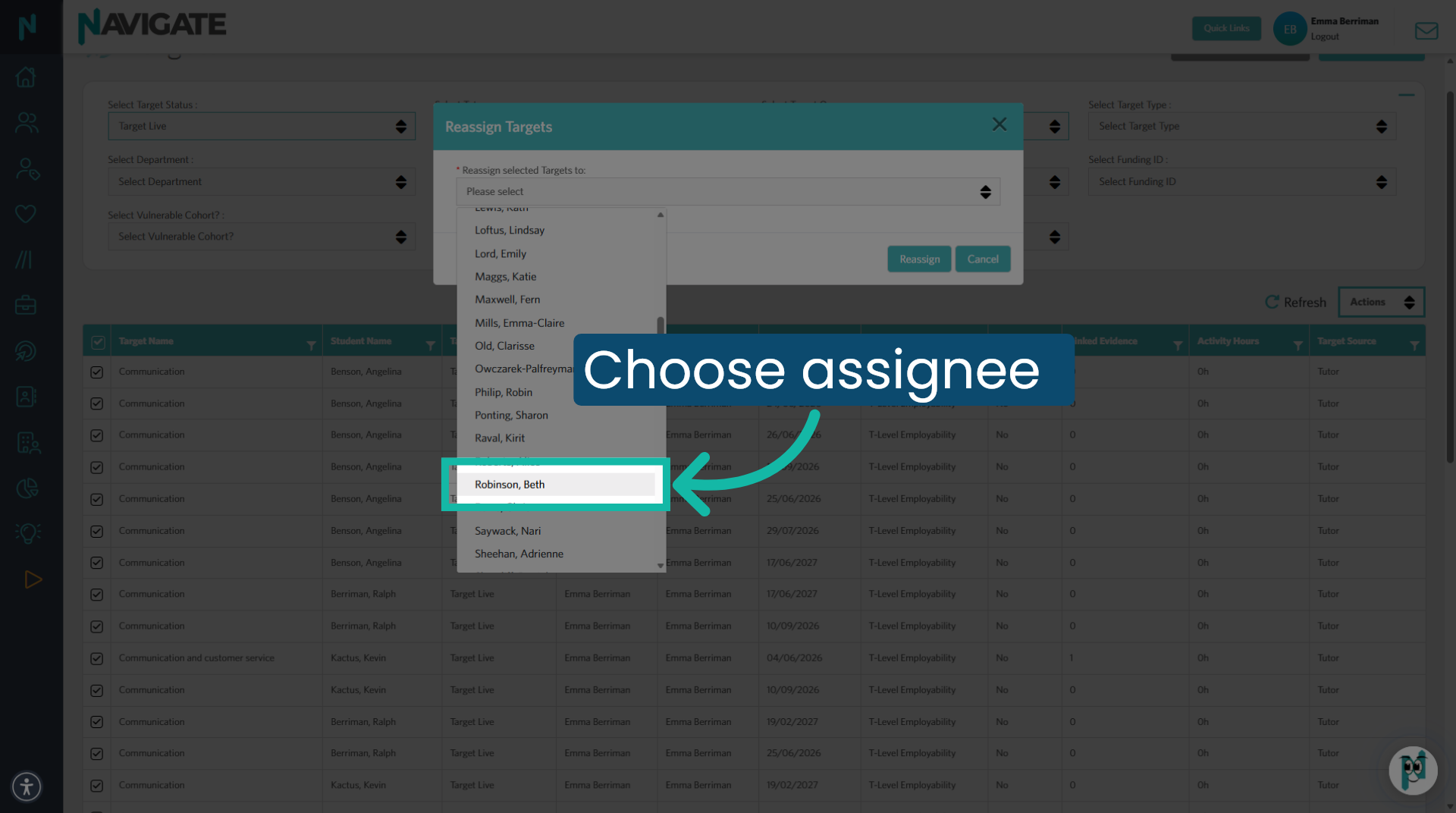
5. Choose New Assignee
Select from the drop-down menu to select the new target owner.
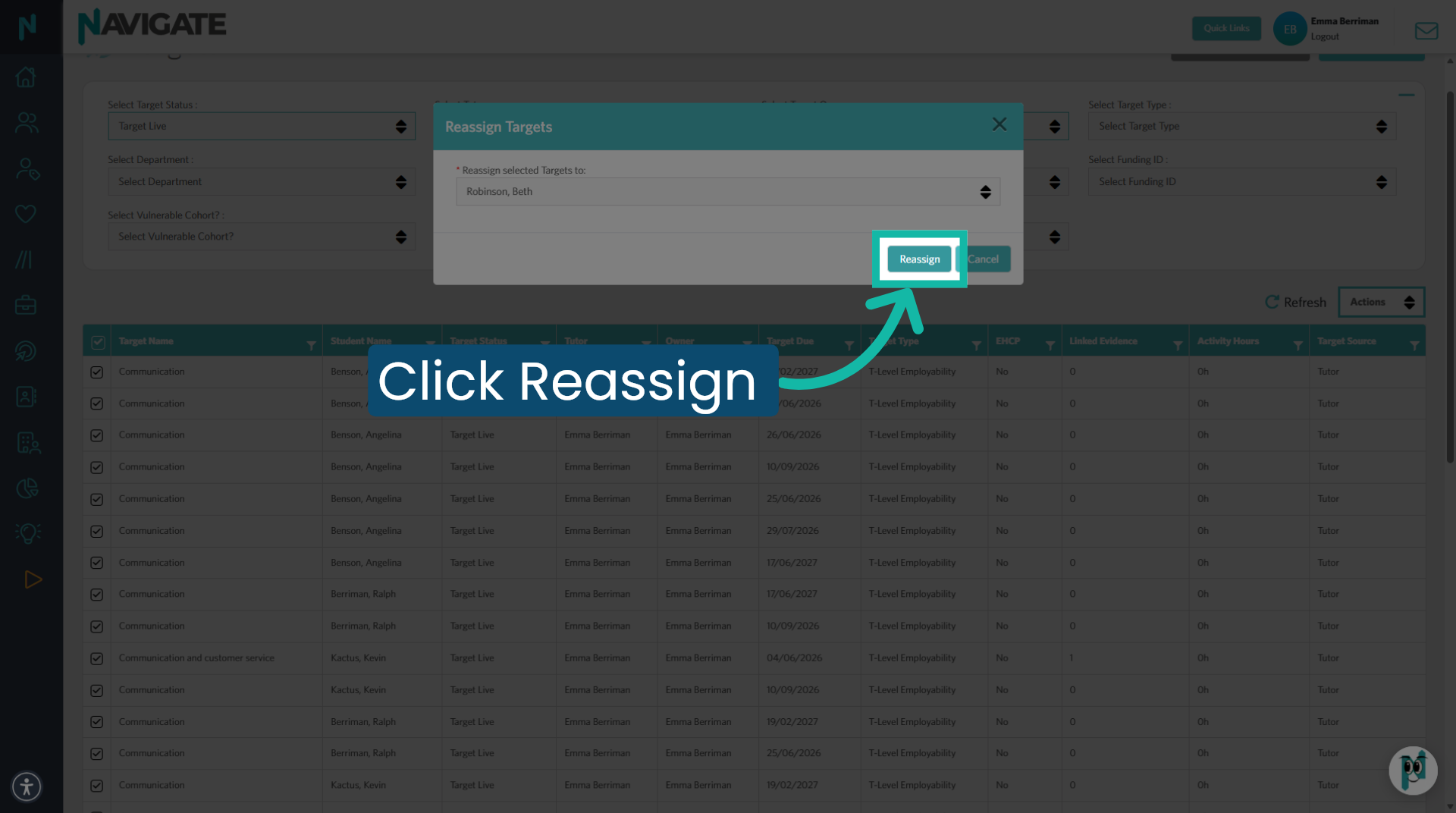
6. Confirm Reassignment
Click reassign to confirm the change in Target own.